
Dashboard Overview
Once you are logged into SMEPay, you will land on your main Dashboard. This is your command center. It gives you a high-level view of your business health, revenue trends, and transaction history.
The Overview Tab
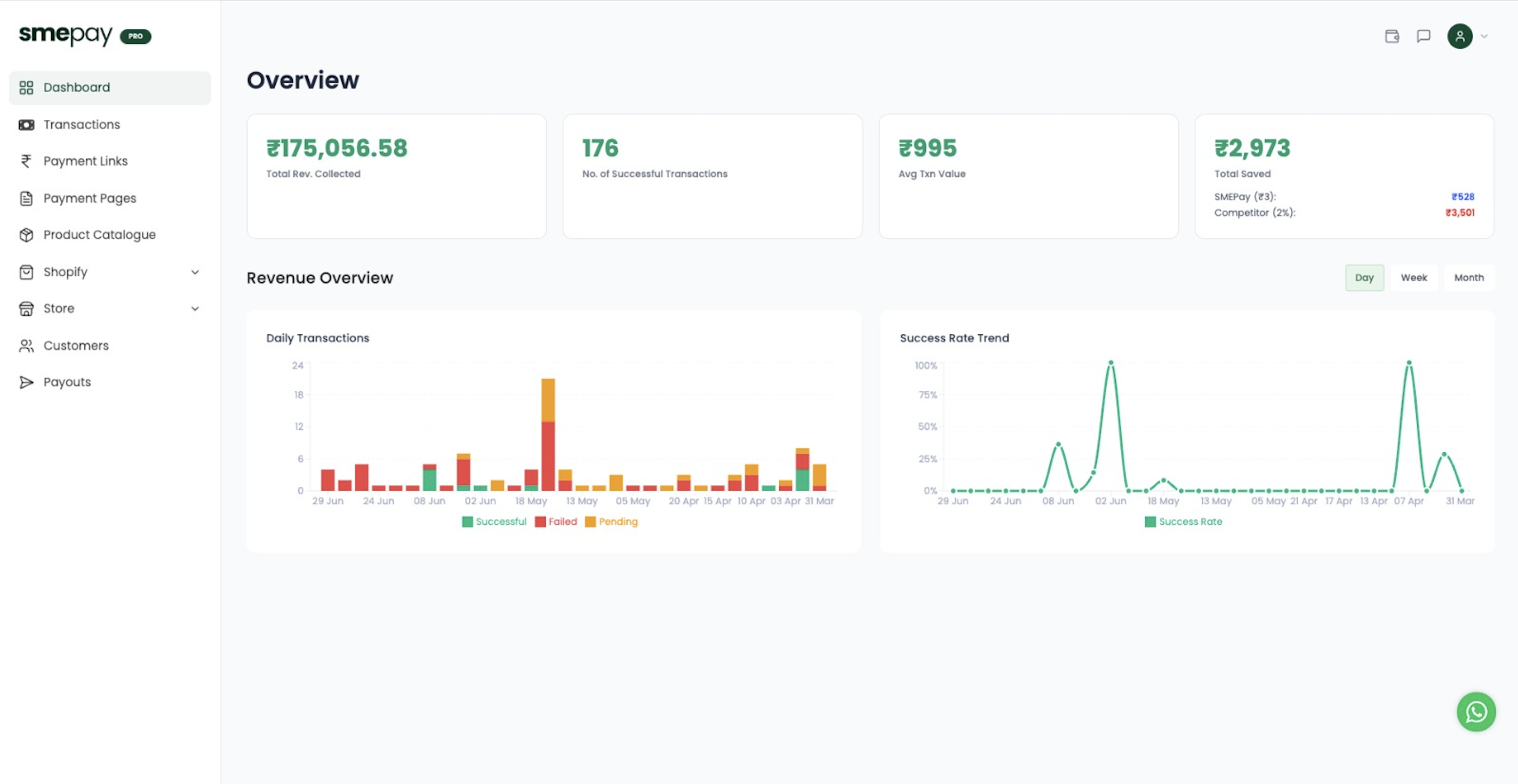
At the top of the Dashboard, you'll see your core business metrics:
Total Revenue Collected (₹)
Displays the total amount collected through SMEPay across all payment methods. Use this metric to track your overall business revenue and growth.
No. of Successful Transactions
Shows the total number of payments successfully completed by your customers. This metric helps monitor your payment volume and business activity.
Avg Txn Value (₹)
Your total revenue divided by your successful transactions. Keep an eye on this to see if your customers are spending more per order.
Total Saved (₹)
The amount of money you've saved by using SMEPay's 0% commission model compared to standard 2% gateway fees. This is pure profit going straight back into your business!
Revenue Overview Charts
Below the top metrics, you'll find visual charts:
- Daily Transactions: A bar chart tracking the volume of successful, failed, and pending transactions per day. Use this to spot your busiest days of the week.
- Success Rate Trend: A line graph indicating your payment success rate over time. Use this to ensure your customers aren't experiencing payment drops.
You can toggle these views between Day, Week, and Month to spot long-term trends.
Failed transactions are usually caused by the customer's bank network or insufficient funds. SMEPay automatically updates the status if a pending transaction is later confirmed by the bank.
The Transactions Tab
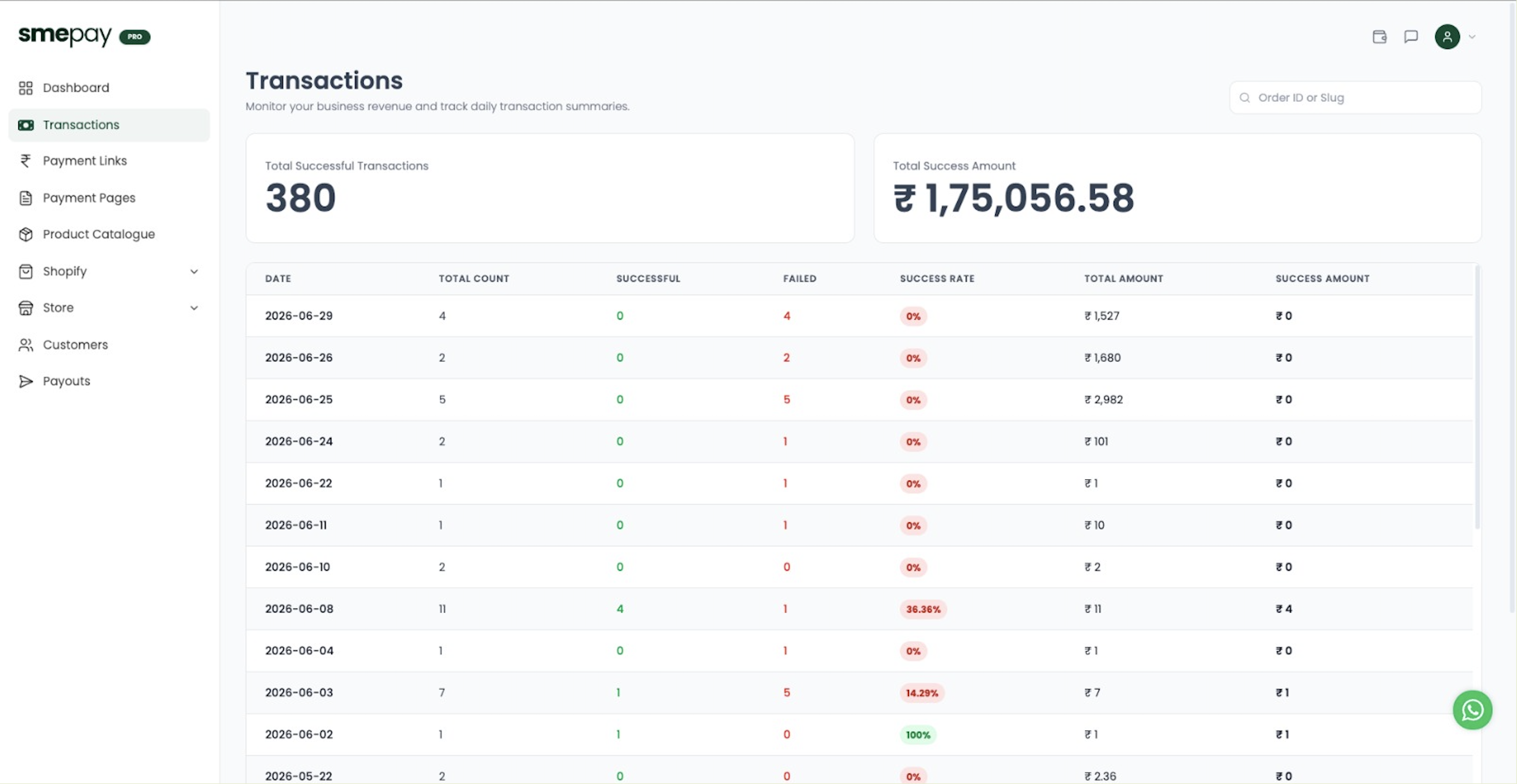
The Transactions page provides a detailed log of every single payment attempt.
- You can search for specific transactions using a customer's Order ID or Transaction Slug.
- This is crucial for verifying if a specific customer has actually paid you before you ship their product or provide your service.
Next Steps
Now that you understand your metrics, you can:
→ Create your first Payment Link → Learn about Payment Pages