
Tracking Payment Pages
The Payment Pages dashboard allows you to view, manage, and track the performance of all the payment pages you have generated.
The Dashboard View
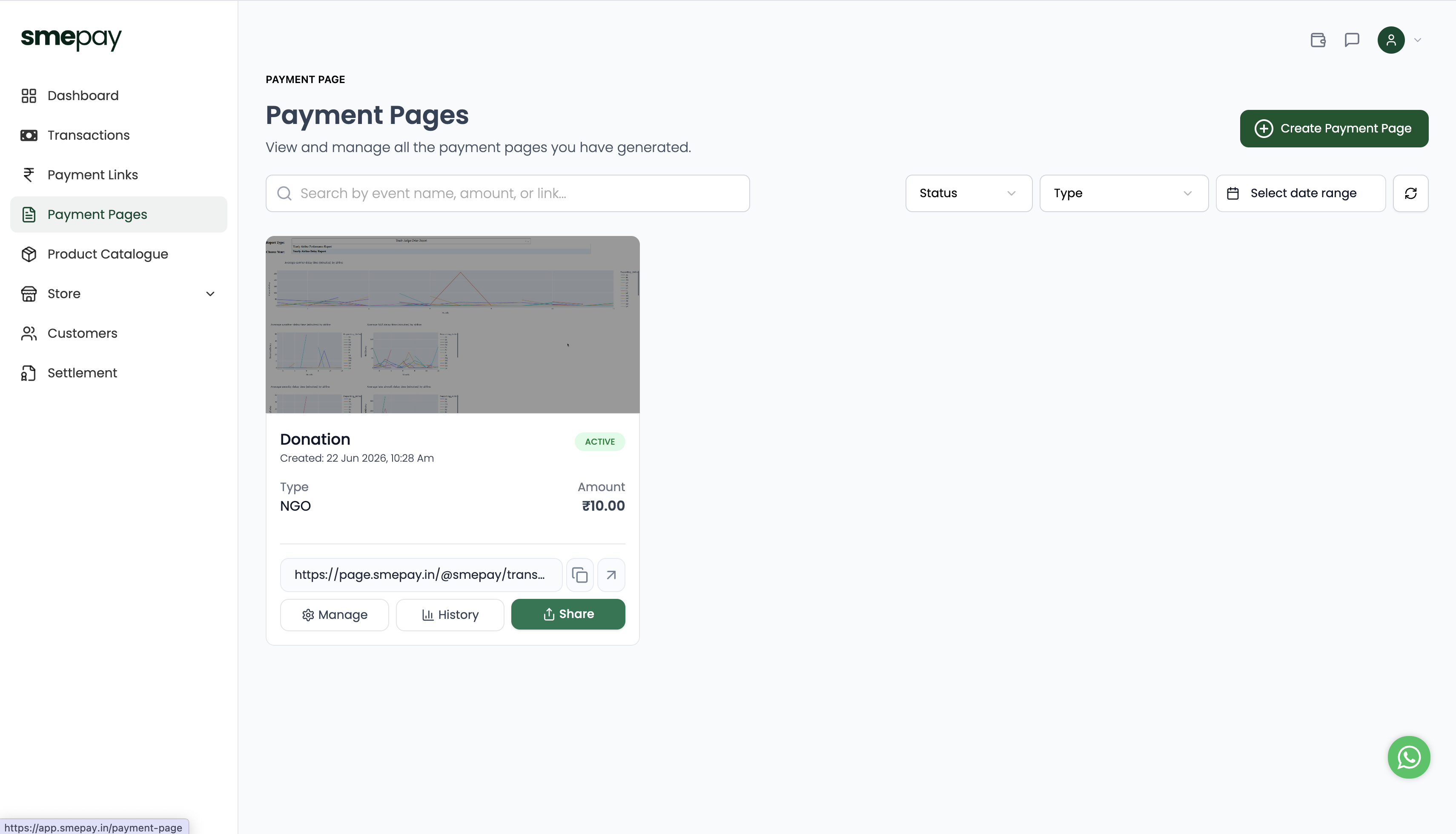
When you navigate to Payment Pages from the left sidebar, you will see a card grid of all your active pages.
Each card displays:
- A thumbnail of your Cover Banner.
- The Title of the page (e.g., "Donation").
- The Status Badge (e.g., ACTIVE or DRAFT).
- The Creation Date and Time.
- The Type of template used (e.g., NGO).
- The Amount (if fixed).
- The direct public URL for the page.
Quick Actions
On each card, you have quick access buttons:
- Copy Icon: Instantly copy the URL to your clipboard.
- External Link Icon: Open the live page in a new tab to see what your customers see.
- ⚙️ Manage: Edit the page details, description, or checkout fields.
- 📊 History: View a detailed list of all successful and failed transactions specifically for this page. Transaction history helps you:
- Verify successful payments
- Track customer purchases
- Monitor campaign performance
- Resolve payment disputes
- 📤 Share: Quick share options.
Searching and Filtering
If you have dozens of active pages (for different events or products), you can easily find what you need using the top navigation bar:
- Search: Type an event name, amount, or link slug into the search bar.
- Status Filter: View only
ActiveorDraftpages. - Type Filter: Filter down to just
NGO,Event,Freelancer, etc. - Date Range: Select a specific calendar period to find pages created during that time.
- Refresh Icon: Click this to pull the absolute latest status for all your pages.