
Configuring Store Settings
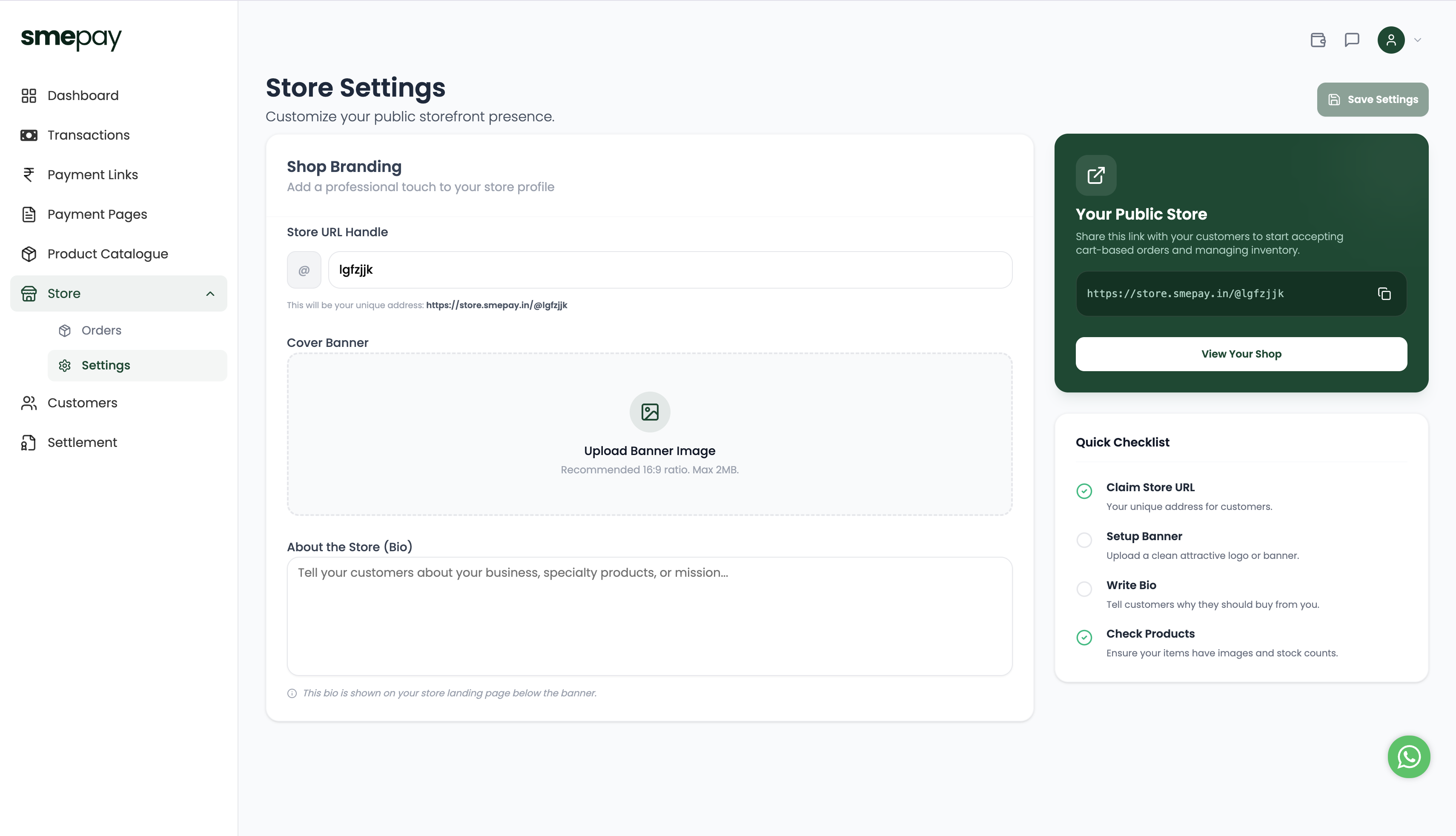
Setting up your Mini Store is incredibly simple. You can customize your public storefront presence in just a few minutes.
### Claim your Store URL Handle
Under **Shop Branding**, enter your desired handle (e.g., `@mybrand`). This will be your unique address: `https://store.smepay.in/@mybrand`. This makes it incredibly easy to share on Instagram or WhatsApp.
Upload a Cover Banner
Add a professional touch to your store profile. Upload a clean, attractive banner image.
- Recommended Ratio: 16:9
- Max Size: 2MB
Write a Bio (About the Store)
Tell your customers about your business, your specialty products, or your mission. This bio is prominently displayed on your store landing page right below the banner, establishing trust with new visitors.
Check your Products
Your store is only as good as what you're selling! Ensure your items in the Product Catalogue have high-quality images and accurate stock counts before launching.
Once you have completed the checklist, click Save Settings. Your public store is now live and ready to accept cart-based orders!