
Adding Products
Creating a shoppable Product Link takes less than 2 minutes. SMEPay handles the checkout, shipping details collection, and inventory tracking for you.
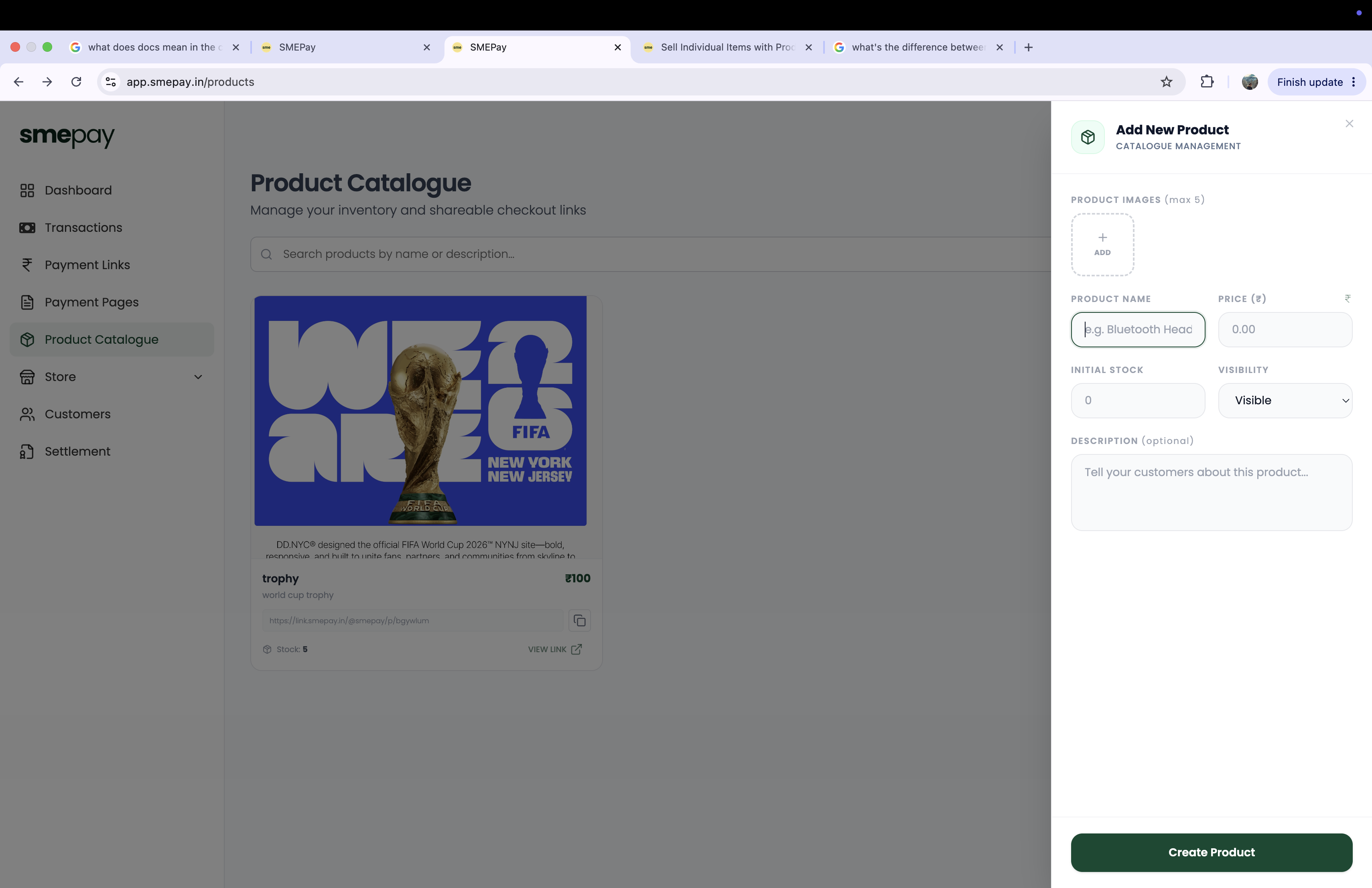
Upload Product Images
You can upload up to 5 high-quality images of your product. These images will be the centerpiece of the customer checkout page.
Set Pricing & Inventory
- Product Name: What are you selling? (e.g., "Premium Headphones")
- Price (₹): Set the fixed price for the item.
- Initial Stock: Crucial for physical goods! Enter how many items you have. SMEPay will automatically stop accepting orders when this stock hits 0, preventing overselling.
- Visibility: Set whether the product is
Visibleto customers immediately or kept hidden as a draft.
Add a Description
Write a compelling description. Tell your customers exactly what they are buying, including dimensions, battery life, or shipping timelines.
Create Product
Click Create Product. SMEPay will instantly generate a unique Product Link for this item.
The Customer Checkout Experience
When a customer clicks your Product Link, they see a highly optimized checkout page featuring your product images, title, price, and description.
To complete the payment, they will be required to provide:
- Full Name
- Email Address
- Mobile Number
- Shipping Address (crucial for order fulfillment)
Once paid, the order hits your dashboard and your inventory stock automatically decreases by 1!